Roles and permissions
Decide exactly what Admins, Editors and Viewers can see, change and delete in each part of ChurchStack.
Every team member has one role. Settings > Roles & Permissions controls what each role can do.
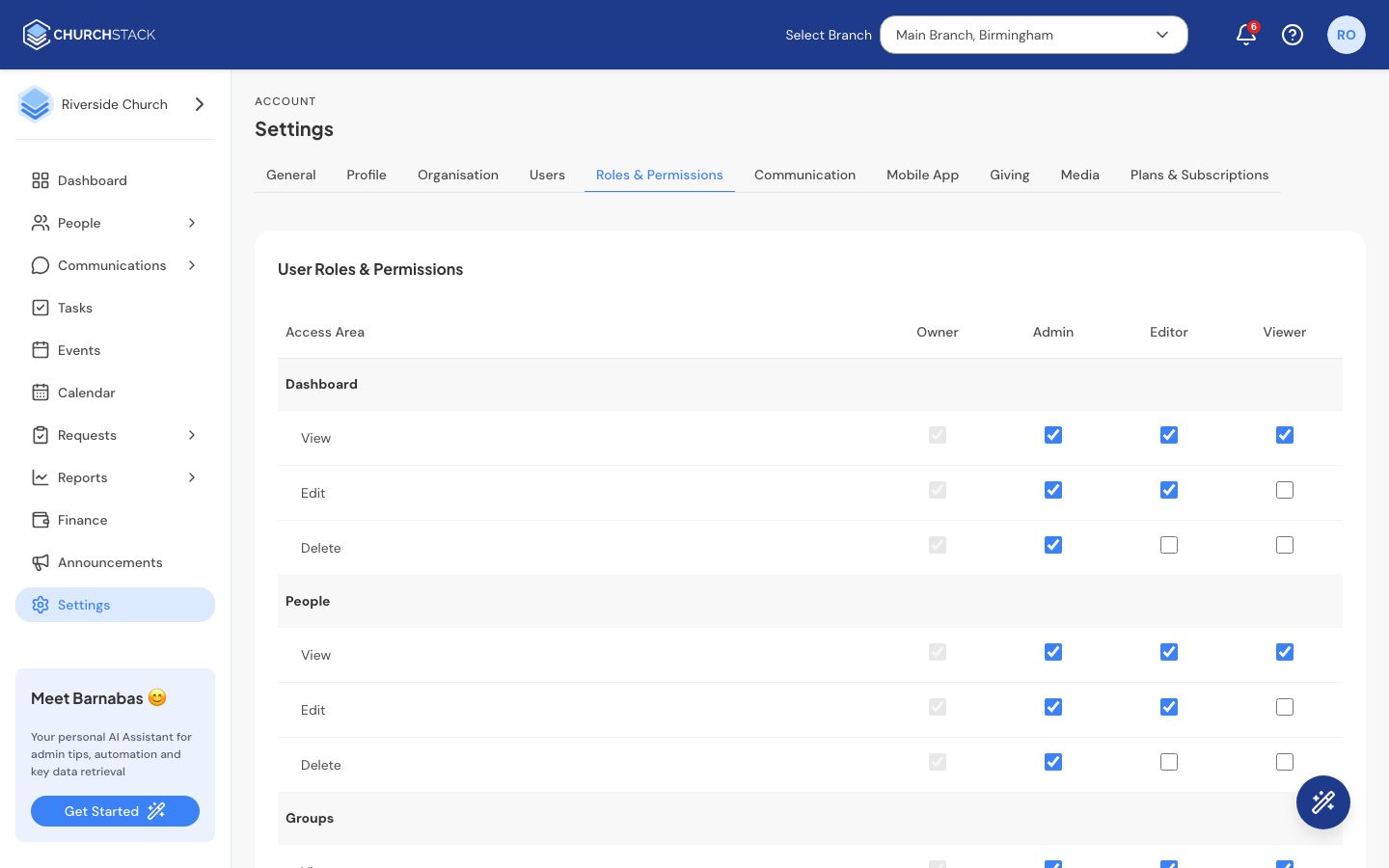
The four roles
| Role | Starts with |
|---|---|
| Owner | Full access, always. The person who created the account. This role cannot be changed. |
| Admin | Full access: view, edit and delete everything. |
| Editor | View and edit, but not delete. |
| Viewer | View only. |
Change what a role can do
The grid lists each Access Area down the side: Dashboard, People, Groups, Milestones, Events, Communications, Finance, Reports, Analytics and Settings. For each role there are three switches:
- View: can see this area.
- Edit: can add and change things here.
- Delete: can remove things here.
Tick or untick to suit your church, then select Save Changes. For example, you might let Editors manage Events but only view People.
Good practice
- Keep Finance to the smallest group you can. Untick View for a role to hide Finance from it completely.
- Communications covers Messages, Automations and Announcements. Edit lets someone send emails and texts to your church, so only give it to people you trust to speak for the church.
- Give people the least access they need. A volunteer who sends rota reminders needs Communications Edit, but does not need to delete contacts.
- Barnabas follows the same rules: it only answers questions about areas the person asking can see.
To give someone a role, see Invite your team.
Still stuck?
Contact support Tell us what you were trying to do and we will help.