Ask Barnabas
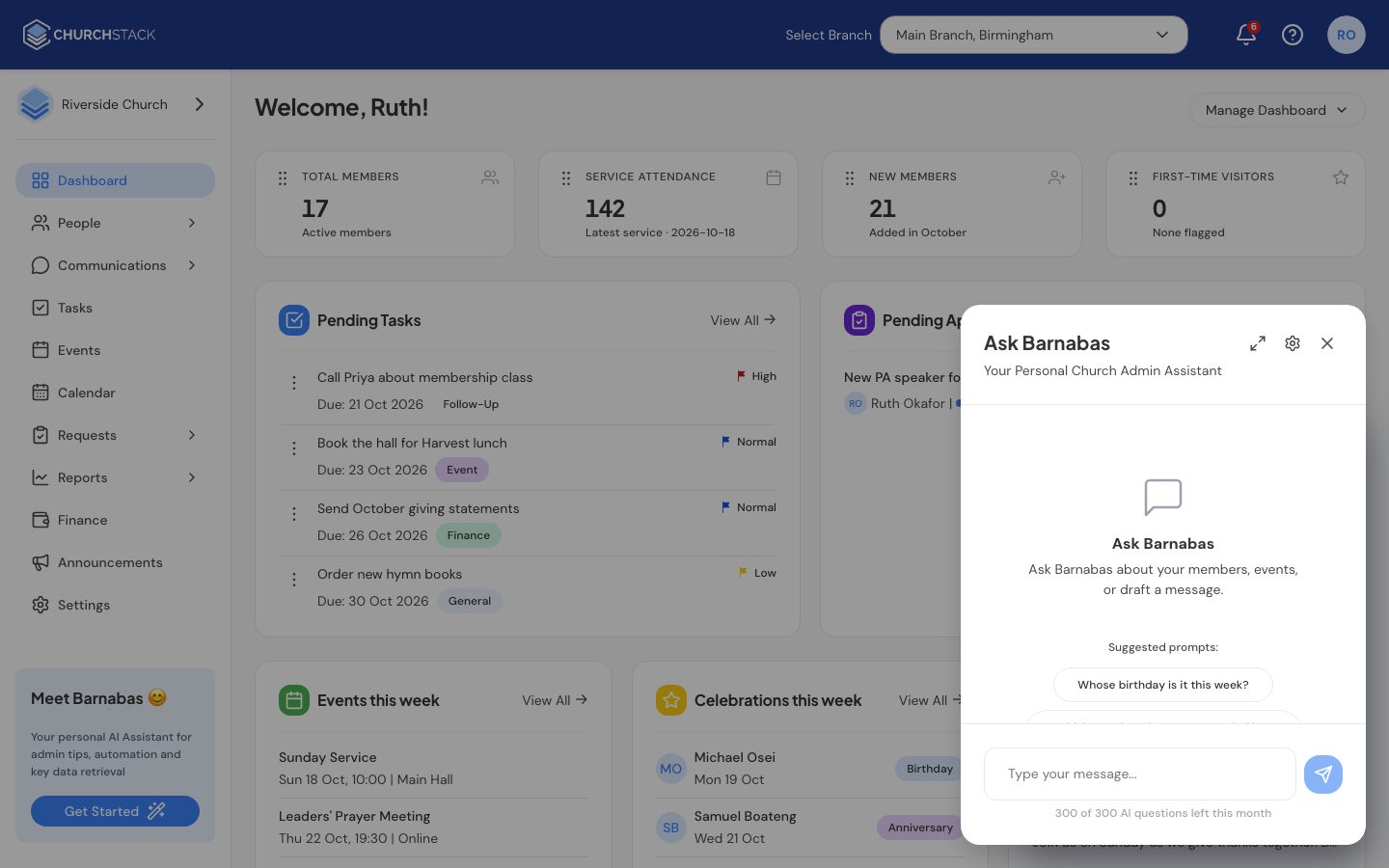
Use Barnabas, ChurchStack's AI assistant, to answer questions about your church and draft messages.
Barnabas is an assistant built into ChurchStack. You can ask it questions about your church’s data in plain English, and it can write a first draft of an email or text for you. Barnabas is included with Pro.
Ask a question
- Select the Barnabas button in the bottom-right corner of any page.
- Type your question, or choose one of the suggested prompts, for example:
- Whose birthday is it this week?
- Which members have not attended in a month?
- Who joined this month?
- Barnabas replies in the chat, sometimes with a small table or figures.
Barnabas only sees what you are allowed to see. If your role cannot open Finance, Barnabas will not answer finance questions for you either.
Barnabas reads your data; it never changes it. It will not add, edit or delete anything.
Draft a message
While writing an email or SMS in Messages, select Ask Barnabas:
- Describe what you want, for example “a warm welcome for people who visited on Sunday”.
- Choose a Tone: Default, Formal, Encouraging, Youthful or Pastoral.
- Select Generate. If there is already text in your message, the button says Improve draft and Barnabas rewrites what you have using your instruction.
Always read the draft before you send it. Barnabas can get details wrong.
Settings
Select the settings button at the top of the Barnabas panel to set your usual Drafting tone, or to hide the floating button. Restart chat clears the conversation.
Monthly allowance
Pro includes a fair-use allowance of questions each month. When you are close to the limit, Barnabas shows how many are left. The allowance resets at the start of each month.
Tell us what you were trying to do and we will help.