Send an SMS
Send a text message to members' phones and keep it within one SMS.
SMS is part of Pro.
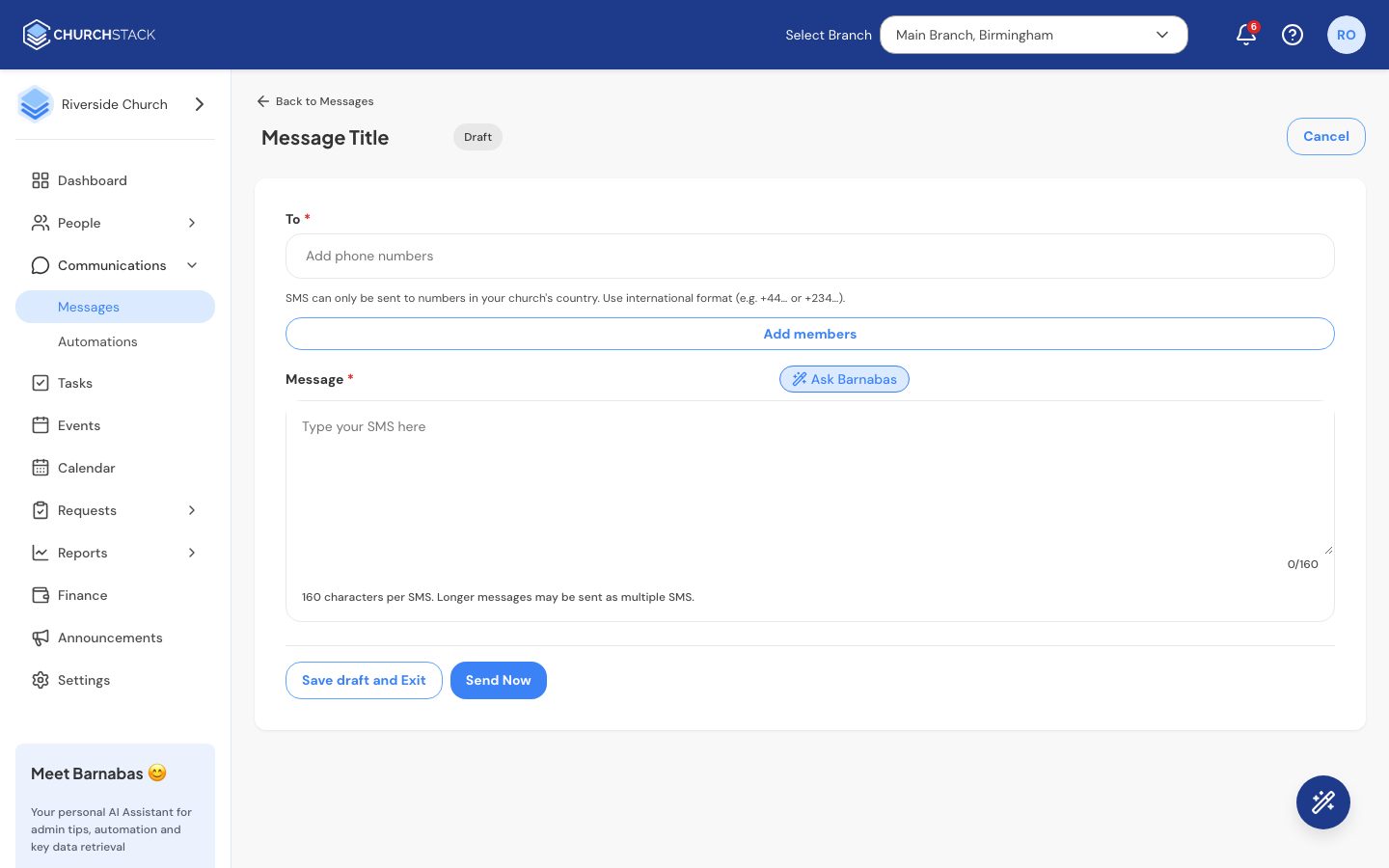
- Go to Communications > Messages and select Create New Message > Create SMS.
- Give it a title (only your team sees this).
- In To, select Add members and tick the people to text. Only contacts with a phone number appear. You can also type a number in international format, for example
+447123456789. - Write your Message.
- Select Send Now. Texts go out straight away; scheduling is for emails only.
Message length
One SMS holds 160 characters. The counter below the message shows how many you have used. Longer messages are split into several texts, and each part counts towards your usage, so keep it short where you can.
Which numbers work
SMS can only be sent to phone numbers in your church’s country. Numbers must be in international format, starting with + and the country code.
Other ways to start an SMS
Select contacts in People > Contacts, a group, a tag or a list of celebrations and choose Send SMS or Send Bulk SMS. The recipients are filled in for you.
Barnabas can draft the text for you too. Select Ask Barnabas in the editor.
Still stuck?
Contact support Tell us what you were trying to do and we will help.