Finance overview
See this year's giving, expenses and net position at a glance, broken down by fund and category.
Finance is part of Pro. It records your church’s giving and spending so you can see where you stand and produce year-end giving statements.
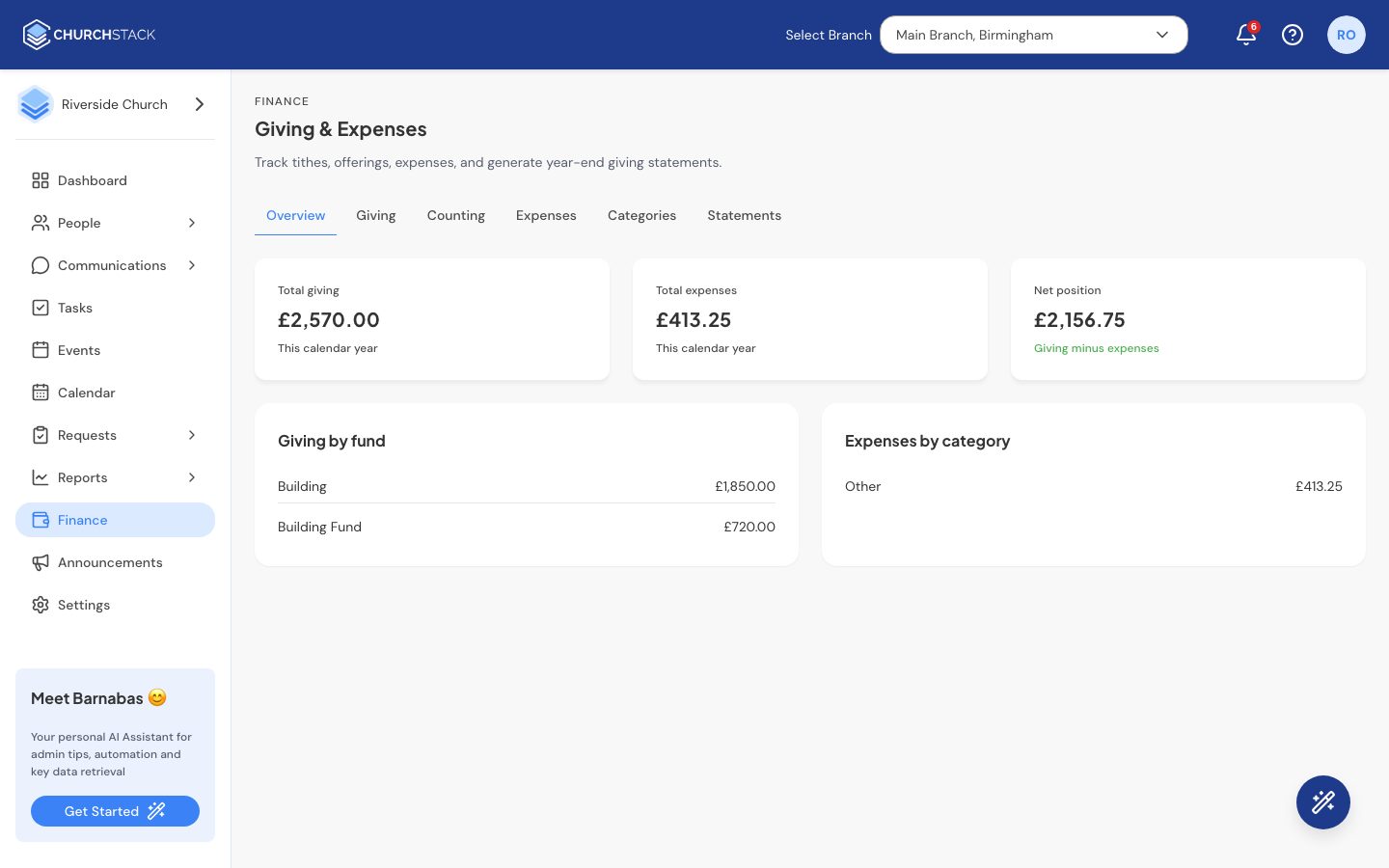
Finance > Overview shows, for the current year:
- Total giving, Total expenses and the Net position (giving minus expenses), with whether each is up or down.
- Giving by fund: how much has come in to each fund, such as Tithes, Offerings or the Building Fund.
- Expenses by category: where the money has gone.
The tabs across the top take you to each part of Finance:
| Tab | What it is for |
|---|---|
| Giving | Every gift: online, by bank transfer, or recorded by hand. |
| Counting | Counting the Sunday offering, envelope by envelope. |
| Expenses | Money going out. |
| Categories | Your giving funds and expense categories. |
| Statements | Annual giving statements for your givers. |
Finance figures are sensitive. Use Settings > Roles & Permissions to decide which roles can see Finance. See Roles and permissions.
Still stuck?
Contact support Tell us what you were trying to do and we will help.