Get the app and sign in
For church members: download the ChurchStack app, find your church and sign in with a code sent to your email.
Your church uses ChurchStack to keep you up to date. The ChurchStack app shows you what is on, lets you check in, give, and keep up with your groups.
Get the app
Download ChurchStack from the App Store (iPhone and iPad) or Google Play (Android). If your church has sent you an invitation email or a join link, open it on your phone: it takes you straight to your church.
Sign in
There is no password to remember. You sign in with a code sent to your email.
- Open the app. If you did not use a join link, Find your church: type at least two letters of its name and choose it from the list.
- Enter Your email address. Use the address your church has for you.
- Tap Email me a code.
- Check your email for a six-digit code and enter it, then tap Sign in.
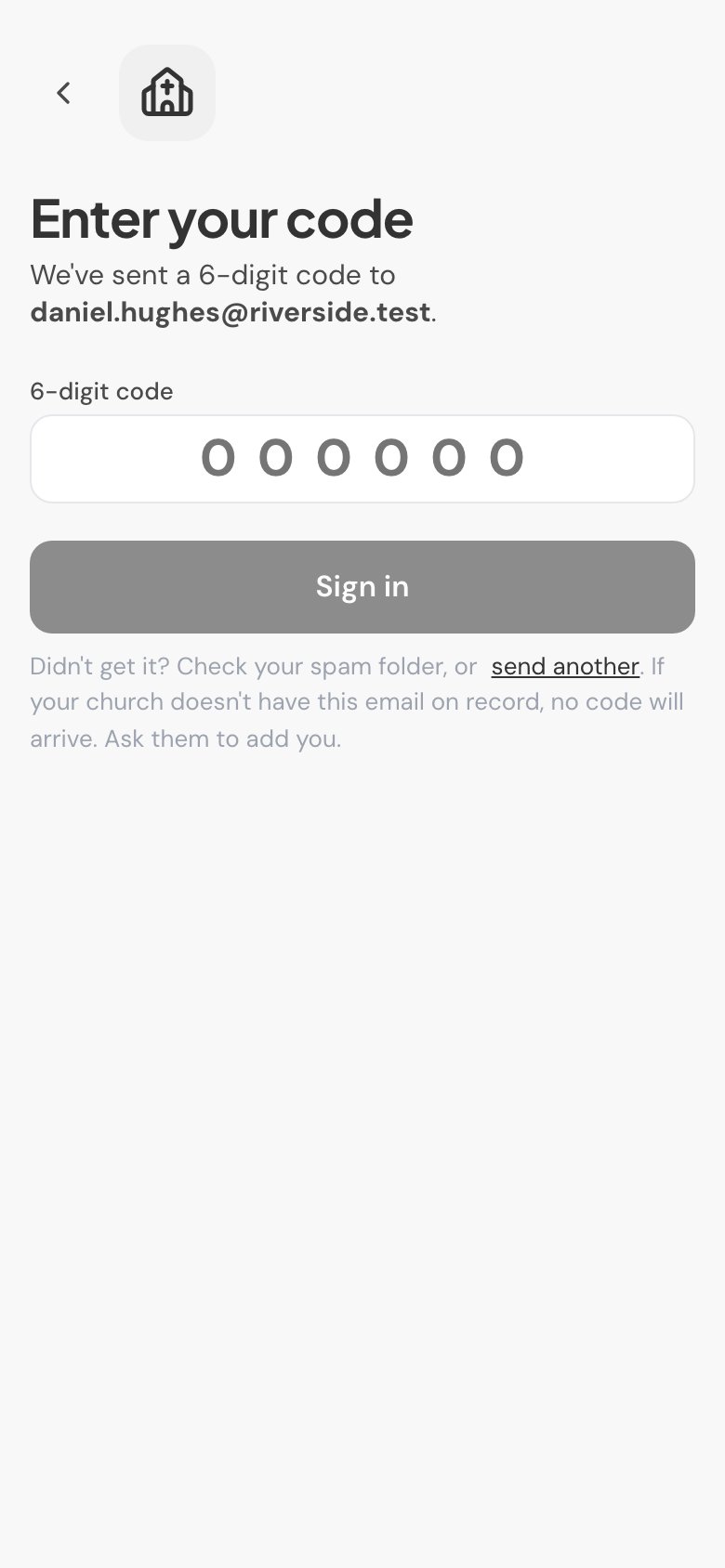
No code? Check your spam or junk folder, then tap send another. If your church does not have your email address on record, no code will arrive. Ask the church office to add or correct it.
You stay signed in until you sign out.
Getting around
The tabs along the bottom are:
- Home: what is happening now, upcoming events and the latest announcements.
- Events: services and events coming up.
- Media: your church’s videos and podcast.
- Groups: the groups you belong to.
- More: Give, Announcements, Celebrate, Check in, Help and Contact your church.
Tell us what you were trying to do and we will help.