Plans and billing
Compare the free Starter plan and Pro, start a trial, subscribe, change size, and cancel.
Settings > Plans & Subscriptions shows your current plan, how many people you have, and what each plan includes.
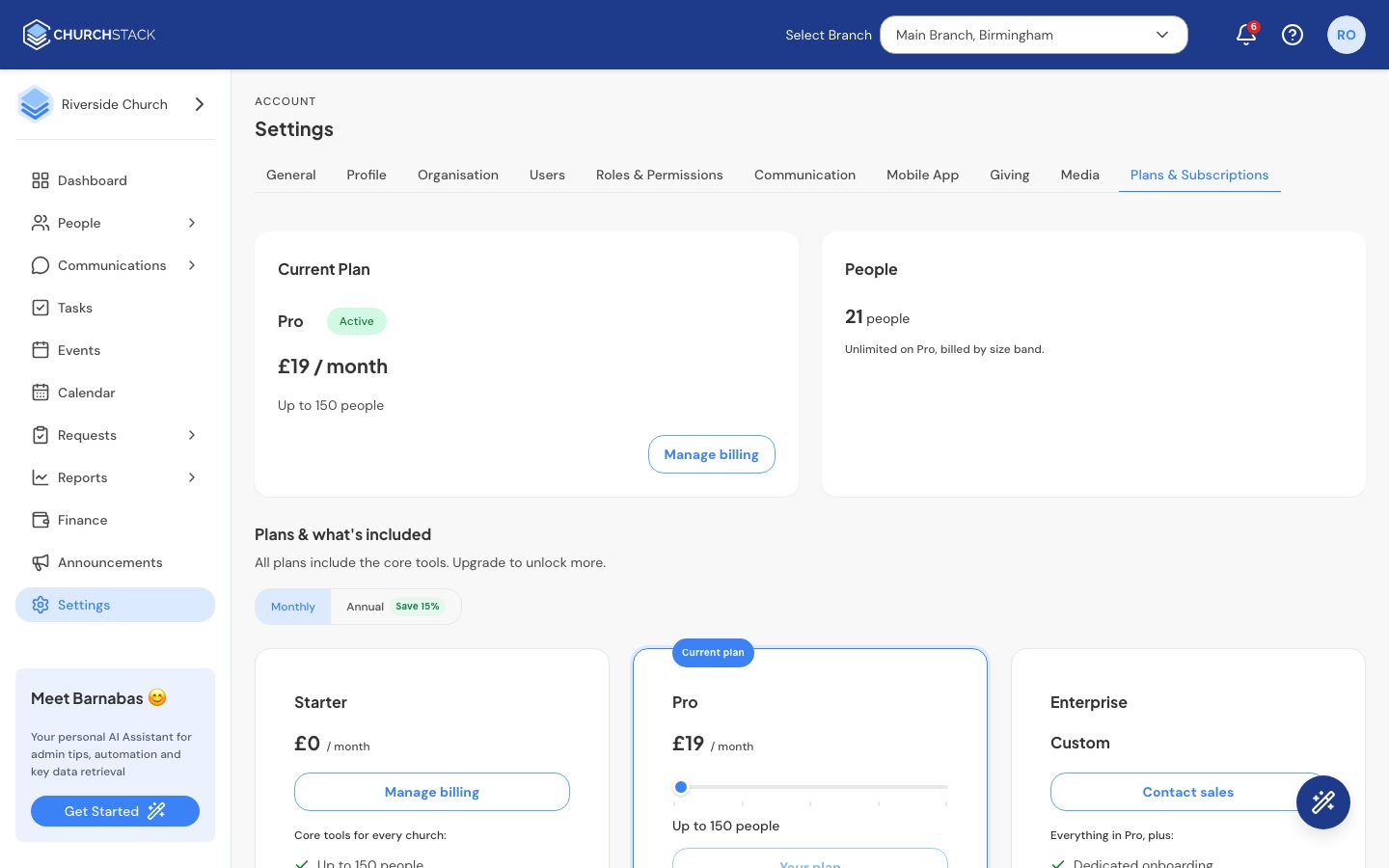
The plans
- Starter is free for churches of up to 150 people, on a single campus, with the core tools: people, groups, events and check-in, email, automations, tasks, approvals and reports.
- Pro adds SMS, Barnabas AI, designed emails, attendance analytics, multiple campuses, the member app, giving and Finance. The price depends on your church’s size; you choose the size band with the slider.
- Enterprise is for networks and denominations. Select Contact sales.
Current prices are on our pricing page.
Try Pro
If you have not had a trial, select Start free trial. No card is needed. The page counts down the days left, and your data is always kept if you decide not to continue.
Subscribe
- Choose Monthly or Annual (annual saves 15%).
- Move the slider to your church’s size.
- Select Subscribe to Pro and pay securely with Stripe (or Paystack in Nigeria).
Manage or cancel
- Manage billing opens the billing portal to update your card or download invoices.
- Cancel subscription moves you to the free Starter plan straight away and stops billing. Nothing is deleted. If you have more than 150 people you keep them all, but cannot add more until you upgrade again.
If a payment fails, the page says so. Update your card in Manage billing to stay on Pro.
Still stuck?
Contact support Tell us what you were trying to do and we will help.