Your setup checklist
The four steps that get a new church ready to use ChurchStack, and how to hide the guide when you are done.
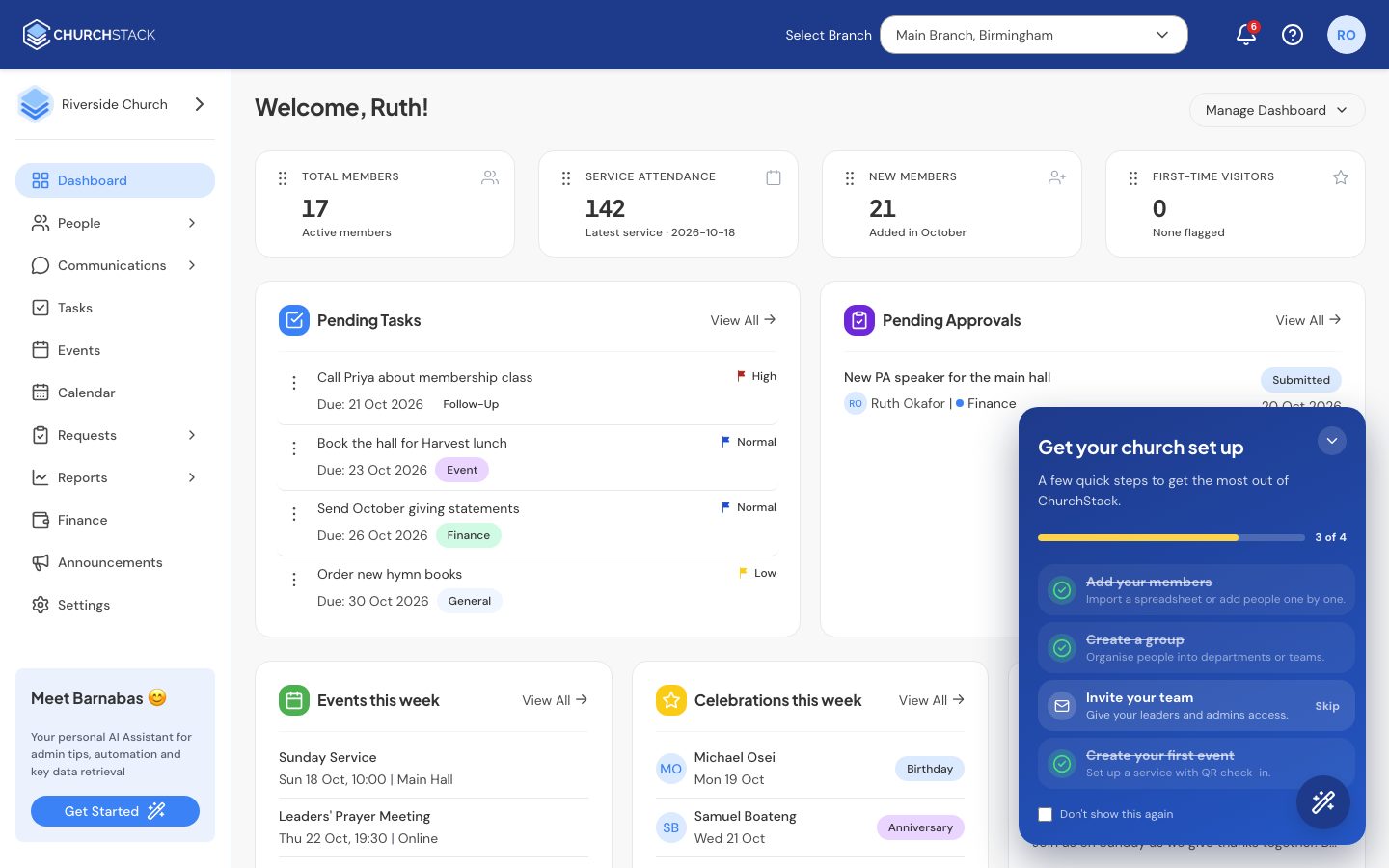
After you sign up, ChurchStack shows a welcome message and then a setup guide in the bottom-right corner of the dashboard. It has four steps:
| Step | What it means | Where it takes you |
|---|---|---|
| Add your members | Import a spreadsheet or add people one by one. | People > Contacts > Import |
| Create a group | Organise people into departments or teams. | People > Groups |
| Invite your team | Give your leaders and admins their own sign-in. | Settings > Users |
| Create your first event | Set up a service with QR check-in. | Events |
Each step ticks itself off when ChurchStack sees you have done it, for example when your first contact is added. You do not need to mark anything as done.
Skipping or hiding the guide
- Select Skip beside a step you do not need. It counts as done.
- Select the minimise button to shrink the guide to a small launcher. Select it again to reopen.
- Select Don’t show this again to remove the guide for good.
When all four steps are complete, the guide says You’re all set and you can close it.
Read next
Still stuck?
Contact support Tell us what you were trying to do and we will help.