Submitted reports
Let group leaders and service teams file reports, and review them in one place.
Reports > Submitted Reports collects the reports your leaders file after services, meetings and ministry activities.
There are two kinds:
- Metrics reports record numbers: attendance and giving for a service or event. These feed the Attendance and Givings charts in Analytics.
- General reports are written updates, such as a weekly ministry update, with notes and attachments.
File a metrics report
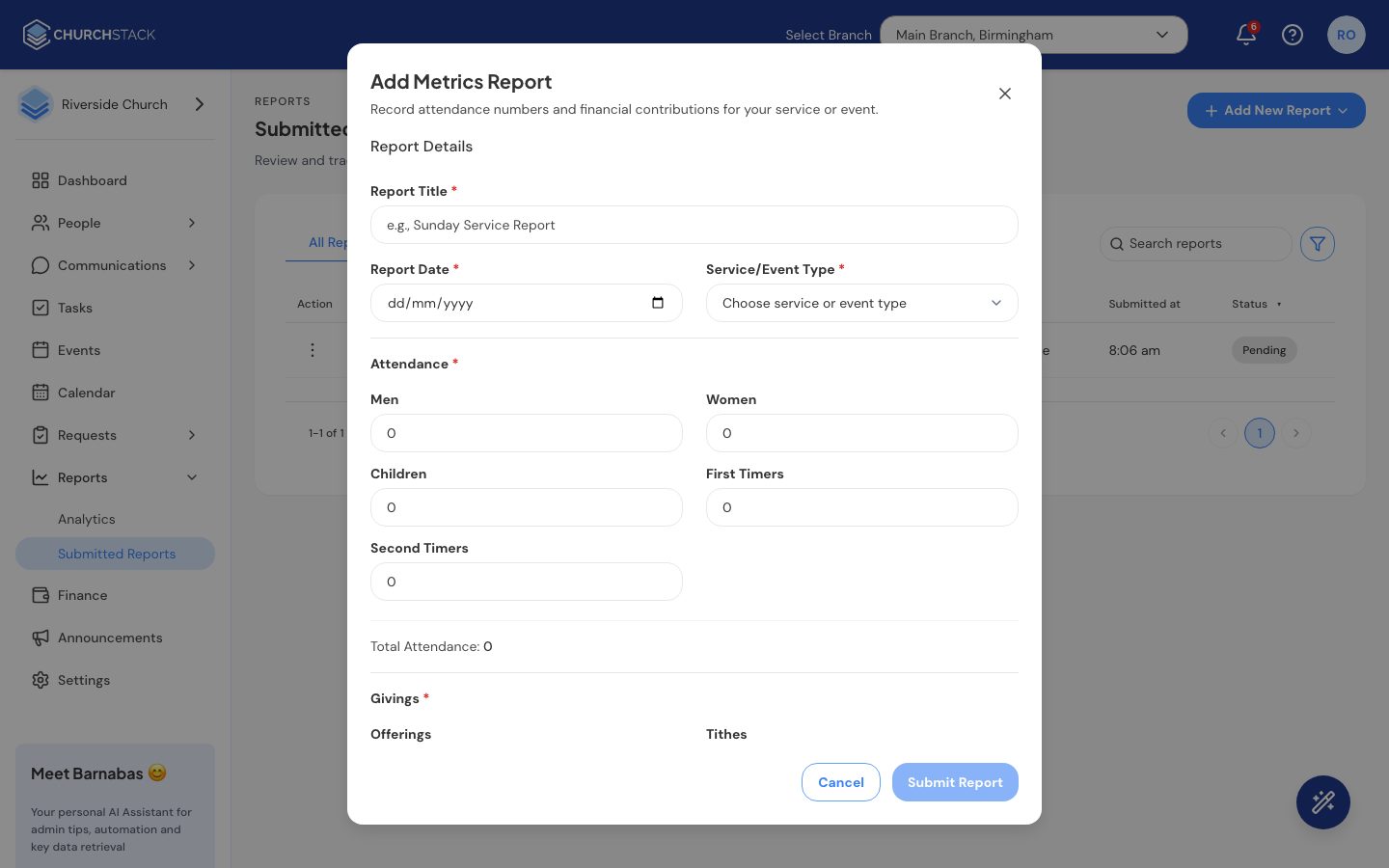
- Select Add New Report > Add Metrics Report.
- Enter a Report Title (for example “Sunday Service Report”), the Report Date and the Service/Event Type.
- Under Attendance, enter the number of Men, Women, Children, First Timers and Second Timers. The total adds itself up.
- Under Givings, enter Offerings, Tithes and Others.
- Select Submit Report.
File a general report
- Select Add New Report > Add General Report.
- Enter a Report Title, the Report Date and the Church Group it is about.
- Add your Notes and any Attachments.
- Select Submit Report.
Review reports
Use the filter to switch between All Reports and My Reports, and search by title. Each report shows who submitted it, for which group and when, and whether it is Pending or Reviewed.
From a report’s row menu:
- View opens the full report, including attendance and giving breakdowns or notes and attachments.
- Mark reviewed changes its status from Pending to Reviewed, so everyone can see it has been read.
- Delete removes it.
Still stuck?
Contact support Tell us what you were trying to do and we will help.